
Google Maps tracks every location you go to on your iPhone or Android phone, may it be your bathroom or office and then keeps a log of this information in a “Timeline” that shows you everywhere you’ve been.
This includes a creepy level of detail, like exactly when you left work, when you arrived at home, the exact route you took along the way, pictures you took in specific locations and more. It’ll show you if you were driving, walking or on a train, and any pit stops you might have made during your journey.
Sometimes this information can be useful, like if you want to remember the restaurant you ate at on Jan. 7 in New York City. (For me, it was Mc Donalds), and what you did before and after that.
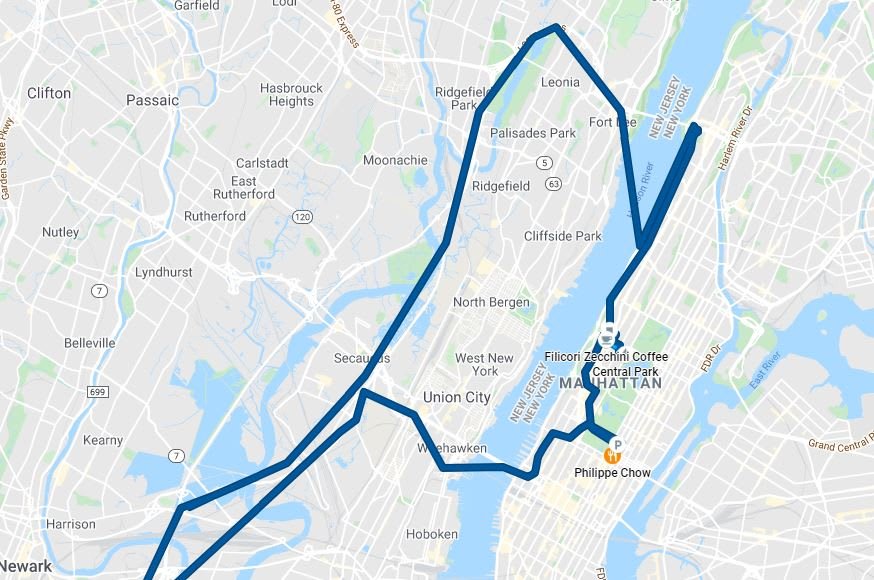
Here’s an example of that day, including my stop for lunch, and a meeting I took with Snapchat on the Upper West side earlier in the day.
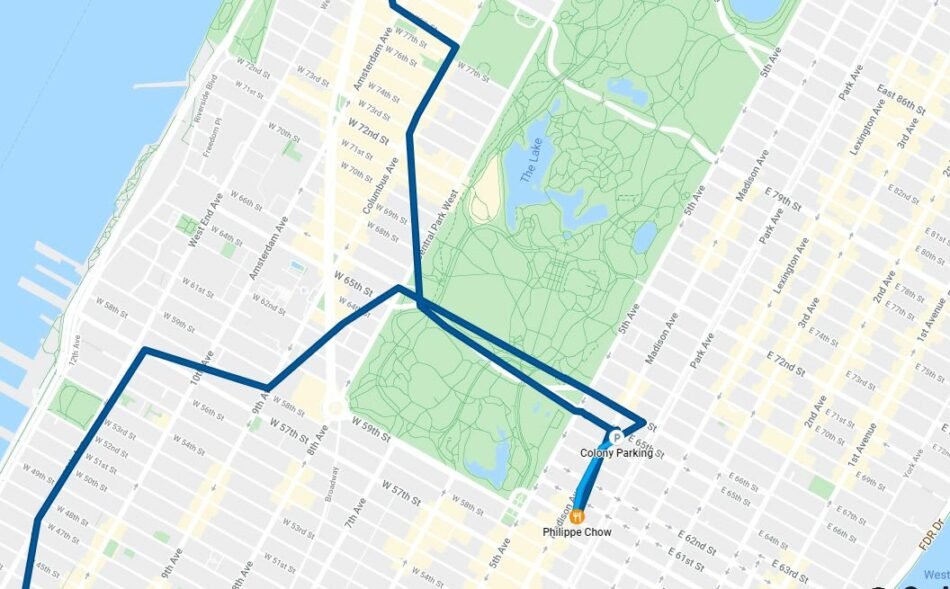
If I zoom in, you can see the exact route I took to get there and where I parked. It’s wild:
There’s no reason Google needs to know this much information about you, unless you really care about things like Google’s recommendations based on where you’ve been (like restaurants you might like). There are a few ways you can reclaim your privacy.
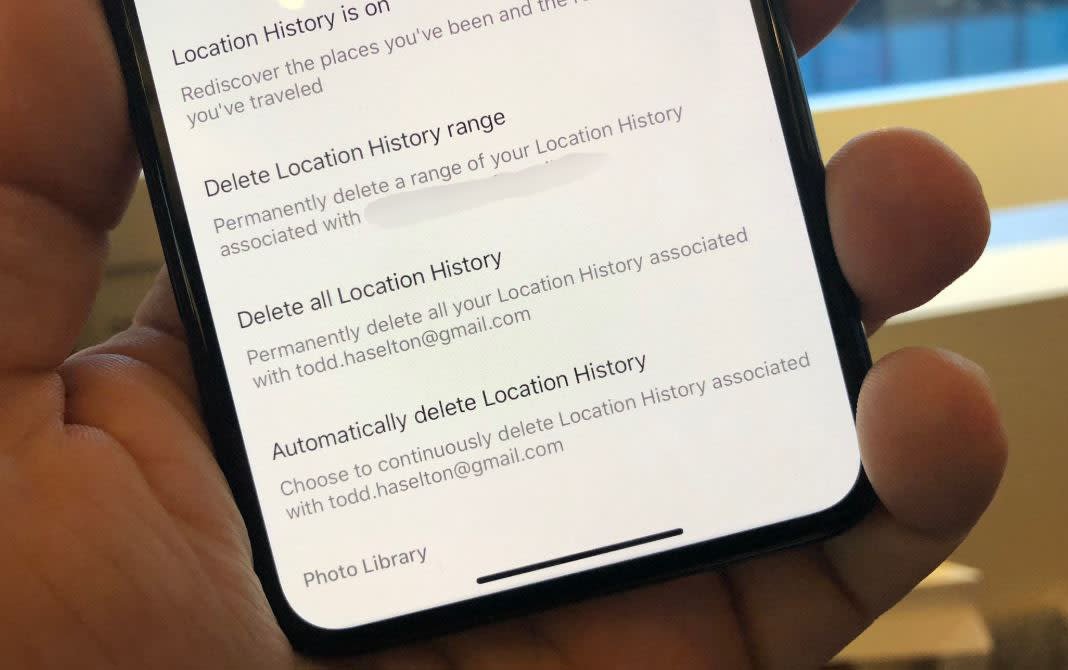
First, here’s how to delete everything Google Maps currently knows about you:
- Open Google Maps on your iPhone or Android phone.
- Tap your profile picture on the top-right.
- Choose “Your data in Maps.”
- Choose “See & Delete activity.”
- Hit the menu button on the top-right of the page and select “Settings.”
- Choose “Delete all location history.”
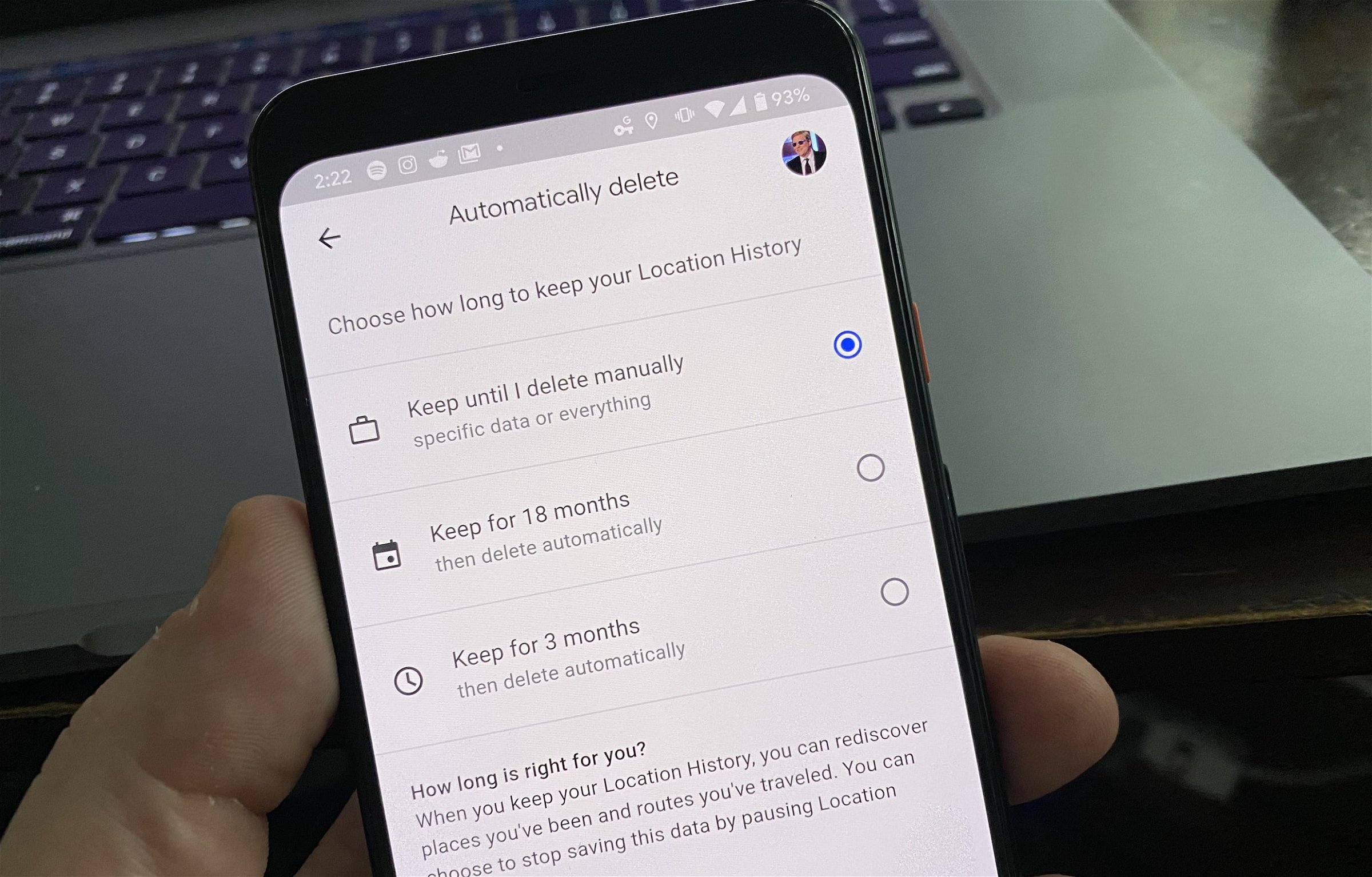
I also recommend that you set it up so Google automatically deletes all this location data every three months. Here’s how:
- Open Google Maps on iPhone or Android.
- Tap the menu bar on the top-left of the app.
- Choose “Your Timeline.”
- Tap the three dots on the top-right of the screen.
- Choose “Settings and privacy.”
- Select “Automatically delete location history.”
- Change the setting from “Keep until I delete manually” to “Keep for 18 months” or “Keep for 3 months.”
If you’re really paranoid, you can turn it off entirely so Google Maps can’t track you at all. Just do this:
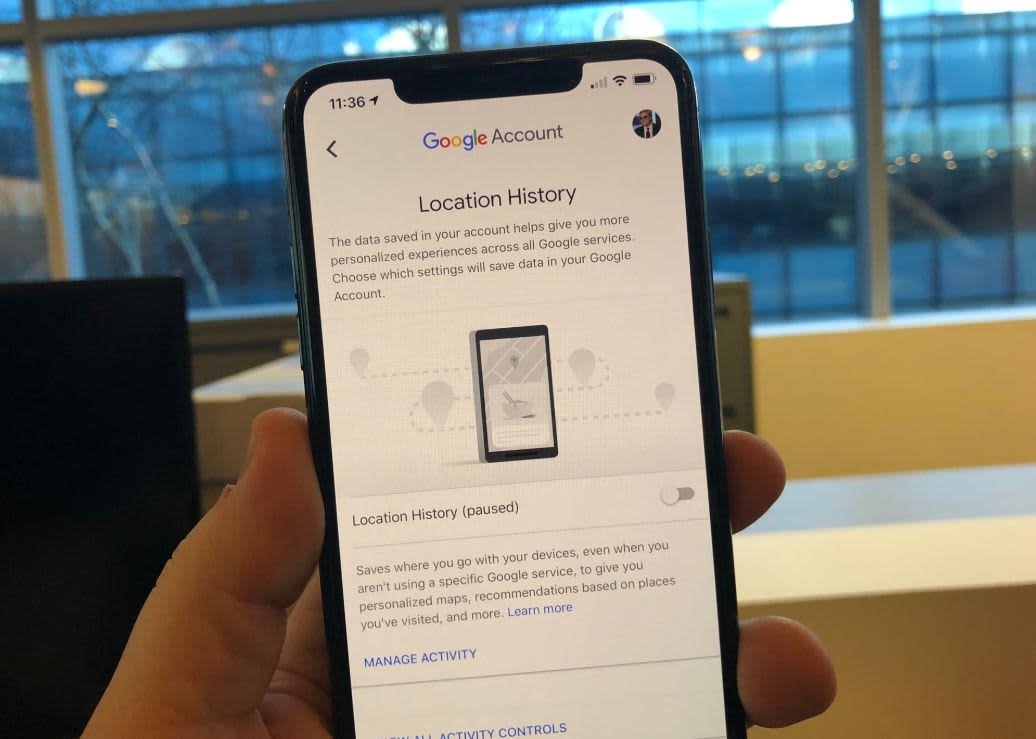
- Tap your profile picture on the top-right.
- Choose “Your data in Maps.”
- Tap where it says Location history is “on.”
- Toggle the switch to off.
- Confirm you want to pause location history (it’ll remain off until you turn it back on, if ever.)
Or, if you don’t mind Google tracking you day to day but just want to stop it for a little while, you can turn on Incognito mode in Maps by doing this:
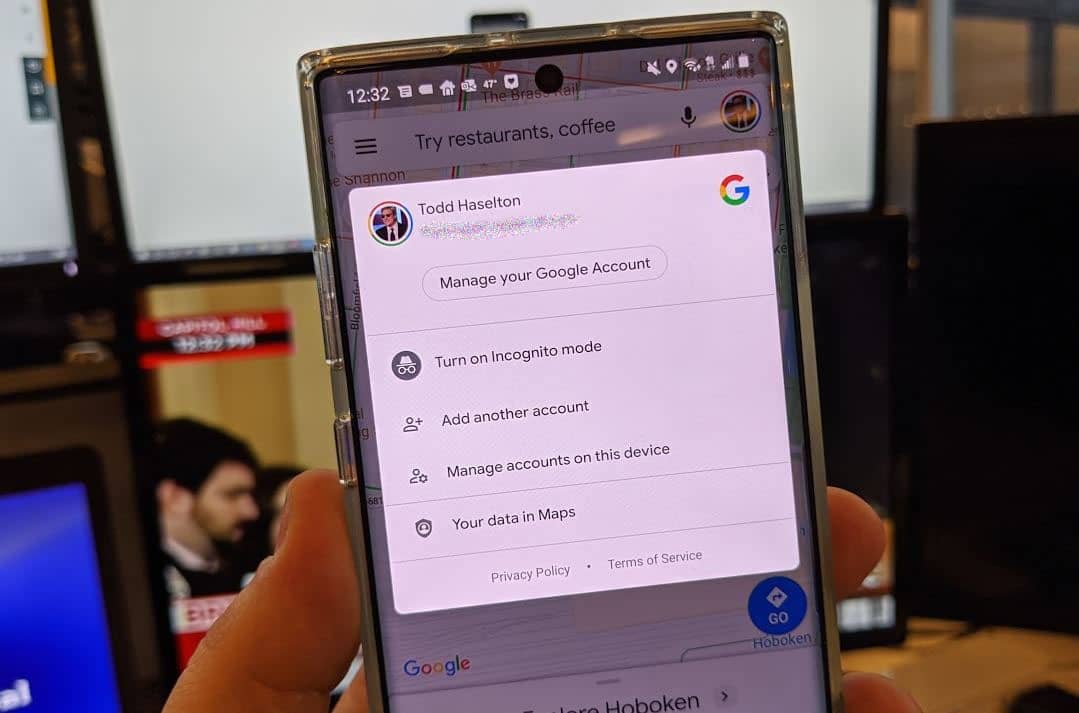
- Open Maps on your iPhone or Android phone.
- Tap your profile picture on the top-right.
- Choose “Turn on Incognito mode.”
Hope that helps.
Source: https://www.cnbc.com/2020/01/16/how-to-stop-google-maps-from-tracking-and-saving-your-location.html